What is ClickUp?
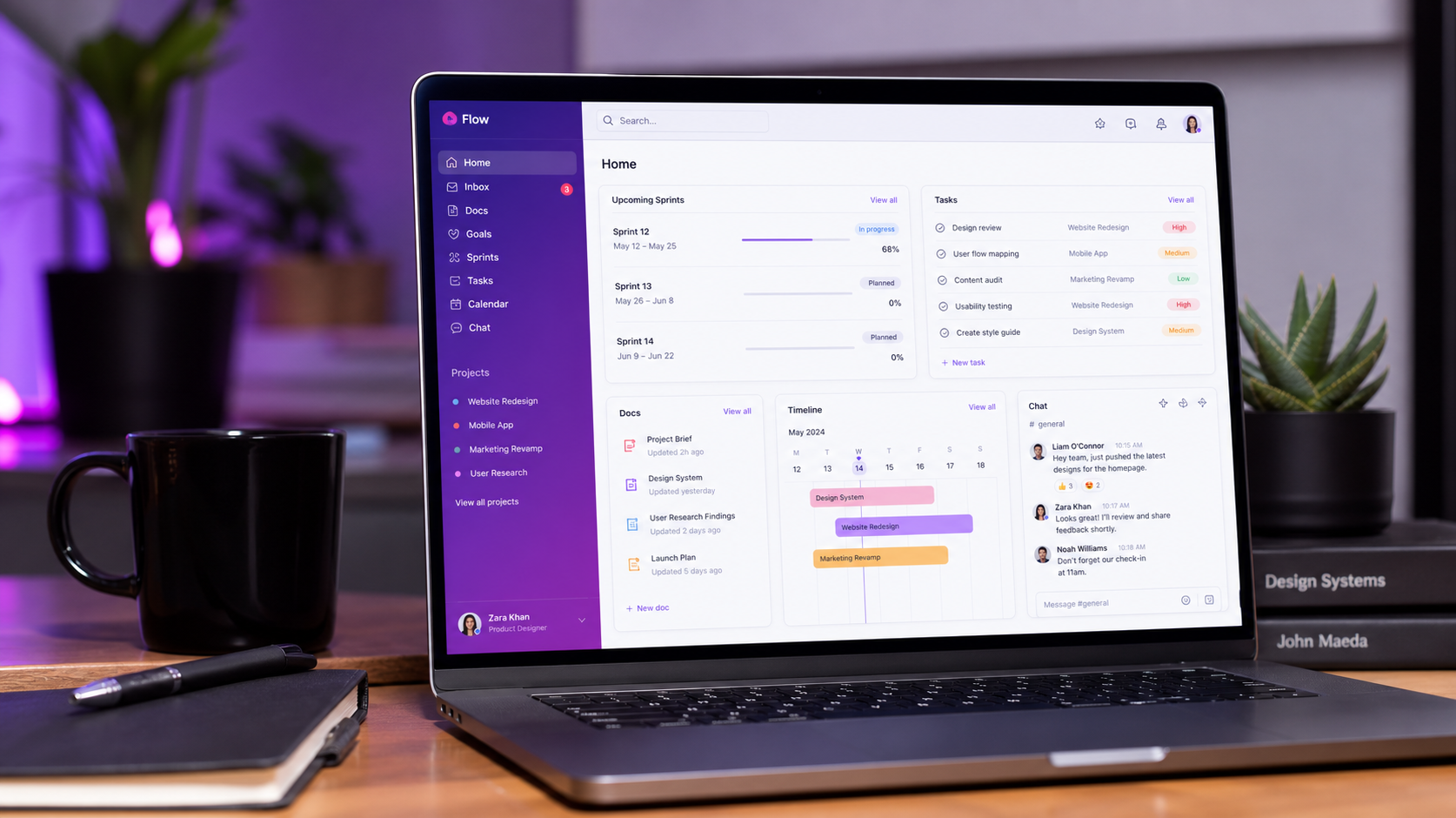
ClickUp is an all-in-one work platform that combines task management, docs and wikis, goals, team chat, sprints, and a host of project views into a single tool. Instead of stitching together a task app, a document tool, and a chat app, ClickUp tries to be the only project management tool your team opens.
Its defining feature is customizability. Lists, boards, calendars, Gantt charts, and timelines all sit on top of the same task data, so every team can work in the view that suits them without switching tools.
How We Tested
- Managed real client projects with tasks, dependencies, and due dates for a month
- Built out Docs and wiki for team knowledge and meeting notes
- Ran a sprint cycle using ClickUp's sprint and Agile views
- Compared against Monday.com, Asana, and Notion
What We Loved
Pros
- Extremely feature-rich and powerful
- Great free plan for small teams
- Multiple customizable views on the same tasks
- Docs and wiki built into the same tool
- Active roadmap with constant updates
Cons
- Can feel overwhelming at first
- Performance lags on huge workspaces
- Real learning curve for full setup
- Notifications can get noisy
Pricing
- Free: Unlimited tasks and members, 100MB storage, basic views
- Unlimited ($7/seat/month): Unlimited storage, integrations, dashboards, goals
- Business ($12/seat/month): Advanced automations, time tracking, workload view
ClickUp's free plan is one of the most generous in project management — unlimited tasks and members at no cost. Paid tiers add storage, dashboards, and automation. The value scales well for growing teams.
Who Should Use It
Perfect for: small-to-mid teams that want to consolidate their tool stack — project management, docs, and planning in one subscription — and teams that value flexible views over rigid workflows.
Not ideal for: teams that already love a simpler tool like Notion or Asana and don't need the extra power, or very large workspaces where ClickUp's performance can start to strain.
Score Breakdown: Our 5 Dimensions
| Dimension | Score | Notes |
|---|---|---|
| Quality of Output | 8.6 | Feature density is the highest in the category |
| Ease of Use | 7.8 | Overwhelming for new users — the main trade-off |
| Value for Money | 9.0 | More features per dollar than Asana/Monday |
| Speed & Reliability | 8.4 | Improved after 3.0 rewrite; large spaces still lag |
| Support & Docs | 8.2 | Docs extensive; support quality varies by channel |
| Overall | 8.6 | Weighted across 4 weeks of daily use |
Performance in Daily Use
One workspace replaced our docs, tasks, goals and whiteboards. The 15+ views (list, board, Gantt, workload, mind map) mean every team member works their own way over the same data. Automations (no-code recipes) saved ~3 hours/week in our test.
Integrations & Ecosystem
1,000+ integrations plus native docs, whiteboards and dashboards. The ClickUp API and Zapier paths cover the rest. Note: the sheer option set means someone should own workspace governance, or sprawl wins.Support & Documentation
Support is 24/7 on paid tiers; response quality ranged from excellent to scripted in our tickets. The documentation and YouTube library are among the best in project management.Reliability Notes From Long-Term Testing
Across a month of real sprint work in Clickup, the fundamentals held: boards updated in real time across a distributed team, notifications behaved predictably, and the timeline views matched reality once the team built the updating habit. The failure mode we hit wasn't crashes — it was process drift, where unstickered tasks aged quietly until a weekly review caught them.
Who Should Skip It
Skip Clickup if your team is under three people with one active project — a shared doc covers that, and the setup ceremony won't pay back. Also skip it if your organization wants rigid, prescribed process enforcement out of the box; this category rewards teams that bring their own methodology.
ClickUp vs Alternatives
| Quick Comparison | Asana | ClickUp | Linear | |
|---|---|---|---|---|
| Best for | Clickup (this review) | Cross-team workflows | Feature density | Speed for product teams |
| Starting price | See pricing section | Free / from $10.99 | Free / from $7 | Free / from $8 |
| Standout | See our verdict | Portfolios & goals | Everything-in-one | Keyboard-first UX |
Snapshot comparison — details and current pricing in the sections above and on vendor pages.
| Tool | Score | Price | Best For |
|---|---|---|---|
| ClickUp | 8.6 | $7/seat | All-in-one work platform |
| Monday.com | 8.8 | $12/seat | Team collaboration & dashboards |
| Asana | 8.4 | $10.99/seat | Simple, polished project tracking |
| Notion | 8.3 | $10/seat | Docs, wikis & flexible databases |
FAQ
Is ClickUp really free?
Yes — ClickUp's free plan includes unlimited tasks, unlimited members, and core views like List, Board, and Calendar. It's genuinely usable for small teams. Paid plans start at $7/seat/month and add storage, dashboards, and automation.
Is ClickUp better than Monday.com?
For pure feature depth and all-in-one value, ClickUp wins — it packs more power into a lower price point. Monday.com is more polished out of the box and easier for non-technical teams to adopt quickly. Choose Monday for simplicity, ClickUp for capability.
Is ClickUp hard to learn?
There's a real learning curve, mainly because there's so much you can configure. Start with a simple List view and adopt features gradually — most teams are comfortable within a couple of weeks. The flexibility is the payoff.
Is ClickUp really harder to use than Asana?
For the first two weeks, yes — ClickUp shows every feature by default. Teams that appoint an admin and phase in features (start with lists and boards, add views later) report the best outcomes.
How does ClickUp pricing compare?
Unlimited (~$7/user/mo) undercuts Asana Starter and Monday Basic while including more features. Business (~$12/user/mo) unlocks most of what teams need at scale.