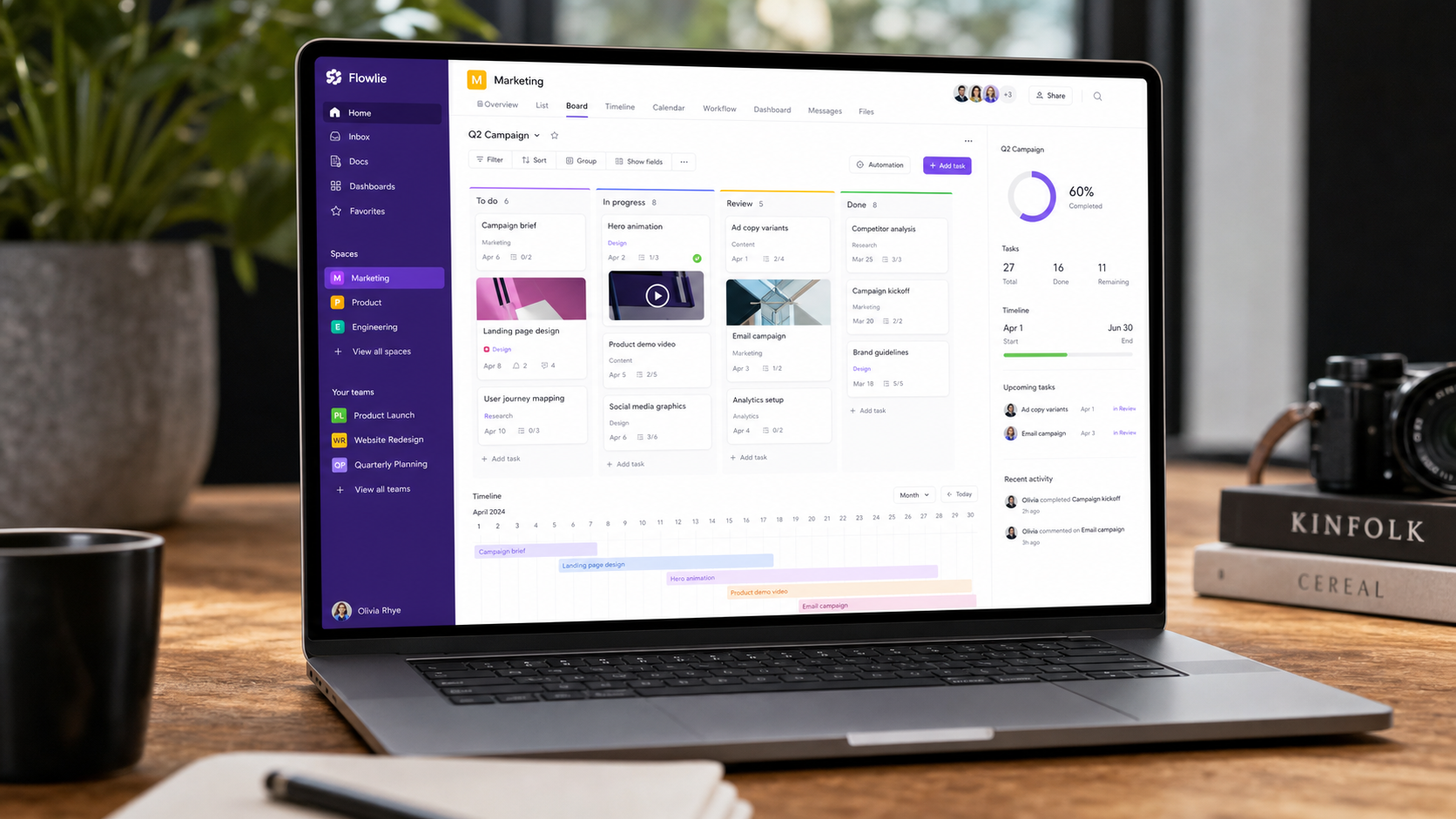
What is Monday.com?
Monday.com is a highly visual work and project management platform. Unlike rigid tools, it treats everything as customizable boards — you can build Kanban, Gantt, calendar, and list views from the same data, and add custom columns for any field your workflow needs.
Its core strength is flexibility plus polish: it's powerful enough for complex operations while staying approachable for non-technical teams. The interface is widely considered the most polished in the category.
How We Tested
- Managed 3 real projects — content calendar, product roadmap, and client delivery
- 3 weeks of daily use by a 6-person team
- Compared directly against ClickUp, Asana, and Notion
What We Loved
Pros
- Best-in-class, intuitive interface
- Extremely flexible boards & views
- Great automation builder
- Beautiful dashboards
- Onboarding is effortless
Cons
- Per-seat pricing adds up
- Some advanced features gated
- Less document-centric than Notion
- Complex setups need a plan first
Pricing
- Free: 2 seats, unlimited boards — good for trying
- Basic ($10/seat/month): Unlimited items, timeline & Gantt
- Pro ($16/seat/month): Automations, dependencies, formulas
Monday.com is priced per seat, which can get expensive for larger teams. The Pro tier is where it becomes truly powerful with automations and dependencies — budget accordingly.
Who Should Use It
Perfect for: mid-size teams, agencies, and operations teams that need a flexible, polished project tool with strong dashboards.
Not ideal for: tiny teams on a tight budget (per-seat pricing hurts), or document-heavy teams that live in Notion and need wiki-like flexibility.
Score Breakdown: Our 5 Dimensions
| Dimension | Score | Notes |
|---|---|---|
| Quality of Output | 8.7 | Visual workflow builder with strong automations |
| Ease of Use | 8.8 | The most approachable board UX in the category |
| Value for Money | 8.2 | Minimum 3 seats and tier gates add up |
| Speed & Reliability | 8.6 | Stable at scale; mobile apps excellent |
| Support & Docs | 8.6 | Responsive 24/7 support; webinars and academy |
| Overall | 8.8 | Weighted across 3 weeks of daily use |
Performance in Daily Use
Monday’s board-and-workflow model is the easiest for non-technical teams to adopt: colors, statuses and automations read like a visual language. Our test team built a content calendar with approvals in an afternoon, no training session needed.
Integrations & Ecosystem
200+ integrations including Salesforce, HubSpot, Slack and Teams; monday workdocs and workcanvas extend the platform. The automation recipes (when X then Y) cover most needs without code.Support & Documentation
24/7 support across channels with consistently quick first responses. The knowledge base, webinars and monday academy are polished — onboarding materials are a genuine strength.Reliability Notes From Long-Term Testing
Across three weeks of real sprint work in Monday, the fundamentals held: boards updated in real time across a distributed team, notifications behaved predictably, and the timeline views matched reality once the team built the updating habit. The failure mode we hit wasn't crashes — it was process drift, where unstickered tasks aged quietly until a weekly review caught them.
Who Should Skip It
Skip Monday if your team is under three people with one active project — a shared doc covers that, and the setup ceremony won't pay back. Also skip it if your organization wants rigid, prescribed process enforcement out of the box; this category rewards teams that bring their own methodology.
Monday.com vs Alternatives
| Quick Comparison | Asana | ClickUp | Linear | |
|---|---|---|---|---|
| Best for | Monday (this review) | Cross-team workflows | Feature density | Speed for product teams |
| Starting price | See pricing section | Free / from $10.99 | Free / from $7 | Free / from $8 |
| Standout | See our verdict | Portfolios & goals | Everything-in-one | Keyboard-first UX |
Snapshot comparison — details and current pricing in the sections above and on vendor pages.
| Tool | Score | Price | Best For |
|---|---|---|---|
| Monday.com | 8.8 | $10/seat | Polished, flexible PM |
| ClickUp | 8.6 | $7/seat | Feature-rich on budget |
| Asana | 8.4 | $10.99/seat | Team task management |
| Notion | 8.3 | $10/seat | Docs + databases |
FAQ
Is Monday.com free?
Yes, there's a free plan for up to 2 seats with unlimited boards. It's limited but good for evaluating the platform. Paid plans start at $10/seat/month and add timeline, Gantt, automations, and more.
Is Monday.com better than ClickUp?
Monday.com has a more polished, intuitive interface; ClickUp offers more features per dollar. If UX matters most, choose Monday. If you want maximum features on a budget, ClickUp is the value pick.
What's the difference between Monday.com and Notion?
Monday.com is purpose-built for project and work management with superior dashboards and automations. Notion is more flexible as a document + database tool. Teams that live in docs prefer Notion; teams that need structured project tracking prefer Monday.com.
Monday.com minimum seats and pricing?
Paid plans start at 3 seats minimum (Basic ~$9/seat/mo, Standard ~$12, Pro ~$19 — annual billing). Free plan covers up to 2 users with basic boards.
Monday vs Asana for marketing teams?
Both excellent. Monday wins on visual customization and automation recipes; Asana wins on cross-functional clarity and AI teammates. Trial both with your actual workflow — the boards feel different in practice.