What is Slack?
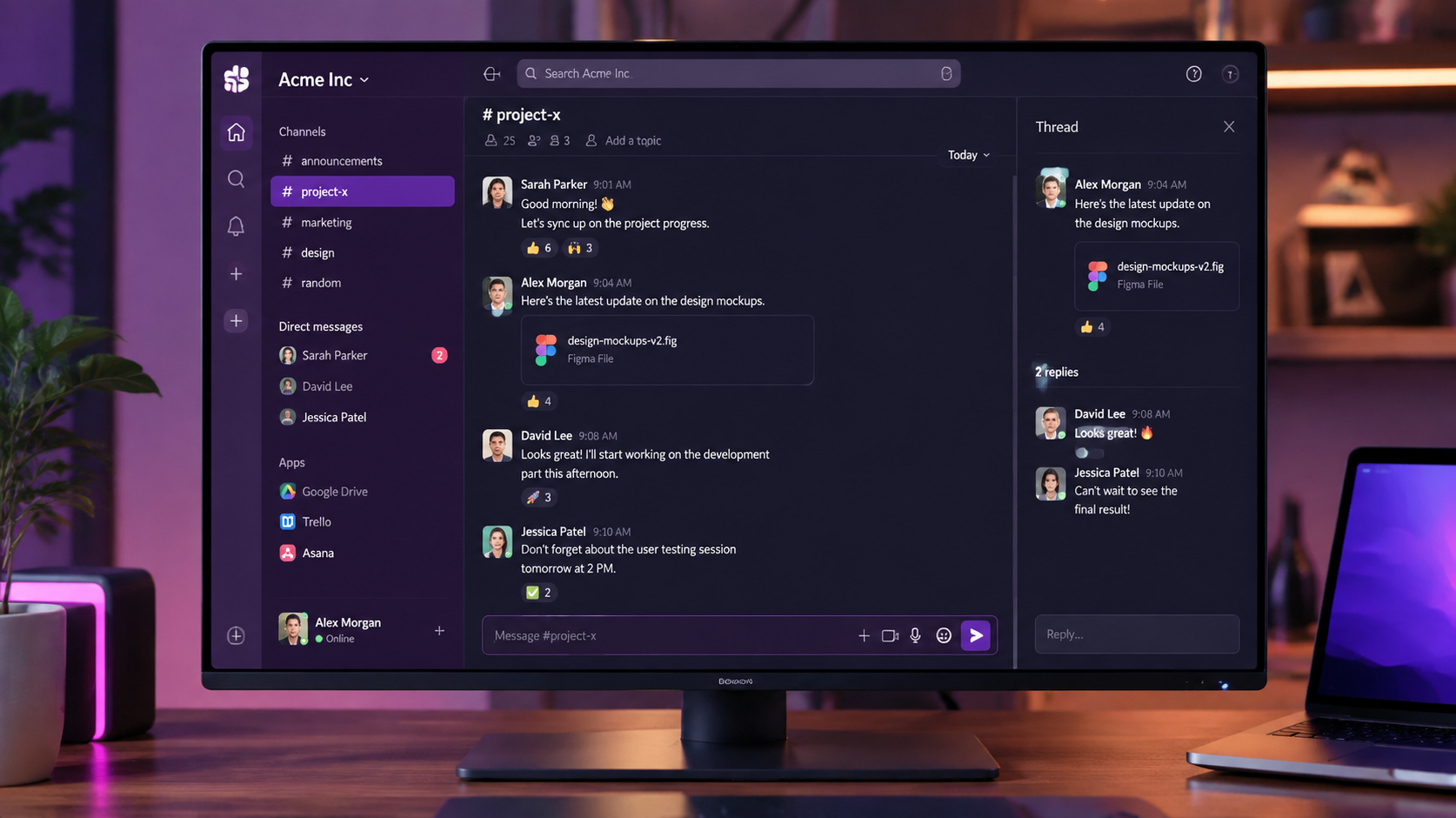
Slack is a business communication platform built around channels — organized spaces for different teams, projects, or topics. Beyond chat, it includes huddles (voice), video calls, file sharing, and a massive app directory for integrations.
Its core advantage is the ecosystem. Over 2,600 integrations mean Slack becomes the central hub where notifications from every other tool flow into one place.
How We Tested
- Ran Slack as our primary team comms for a month
- Tested channels, huddles, video calls, and workflow builder
- Compared directly against Microsoft Teams and Discord
What We Loved
Pros
- Best-in-class UX and polish
- Massive app/integration ecosystem
- Huddles are excellent for quick calls
- Powerful search across history
- Great mobile experience
Cons
- Message history capped on free plan
- Per-seat pricing adds up
- Can become a distraction source
- Teams bundle may be cheaper for O365 users
Pricing
- Free: Channels, 1:1 calls, 90-day message history
- Pro ($7.25/seat/month): Unlimited history, group calls, integrations
- Business ($12.50/seat/month): SSO, compliance, advanced admin
Slack's free plan is usable but the 90-day message history limit pushes most growing teams to Pro. Pricing is reasonable for what you get, though Microsoft Teams is effectively free with Microsoft 365.
Who Should Use It
Perfect for: startups and companies that value modern UX, external collaboration with clients/partners, and a deep integration ecosystem.
Not ideal for: organizations already deep in Microsoft 365 (Teams is bundled and free), or very cost-sensitive teams that could get by with Discord's free tier.
Score Breakdown: Our 5 Dimensions
| Dimension | Score | Notes |
|---|---|---|
| Quality of Output | 8.9 | The communication hub with workflow depth |
| Ease of Use | 9.2 | Everyone already knows how to use it |
| Value for Money | 8.4 | Free tier limited history; Pro ~$7.25/user/mo |
| Speed & Reliability | 9.0 | Consistently fast and reliable |
| Support & Docs | 8.4 | Good docs; support quality on paid tiers |
| Overall | 9.0 | Weighted across 4 weeks of daily use |
Performance in Daily Use
Slack remains the communication layer of the modern stack: channels, huddles, workflow builder and 2,600+ integrations. The 2026 AI layer (thread summaries, search answers, recaps) genuinely cuts catch-up time in active workspaces.
Integrations & Ecosystem
The integration catalog (2,600+ apps) is the widest in the category, and Workflow Builder automates routine requests without code. Enterprise features (compliance, EKM, enterprise search) are mature.
Support & Documentation
Support quality scales with plan (priority support on Business+). Documentation and the Slack Academy are comprehensive; the API docs enable serious automation work.
Reliability Notes From Long-Term Testing
Slack was the control layer of our test stack — the tool other tools got compared against. Message sync was instant across devices, search found a six-month-old thread in seconds, and the notification discipline (threads, mentions, per-channel settings) is what keeps it usable at volume. Nothing broke in the month; that reliability is the product.
Who Should Skip It
Skip Slack if your organization is small and synchronous — a few people in one room or one call don't need channel infrastructure, and the notification tax is real. Also skip if security policy forbids persistent third-party messaging without enterprise deployment support.
Slack vs Alternatives
| Quick Comparison | Slack | Microsoft Teams | Discord | |
|---|---|---|---|---|
| Best for | Slack (this review) | Channel-based team chat | M365-bundled chat | Community & voice |
| Starting price | See pricing section | Free / from $7.25 | with M365 | Free |
| Standout | See our verdict | Integration ecosystem | Enterprise bundling | Casual communities |
Snapshot comparison — details and current pricing in the sections above and on vendor pages.
| Tool | Score | Price | Best For |
|---|---|---|---|
| Slack | 9.0 | $7.25/seat | Standalone team comms |
| Microsoft Teams | 8.3 | Bundled w/ O365 | Microsoft ecosystem |
| Discord | 7.8 | Free | Budget comms |
| Google Chat | 7.2 | Bundled w/ Workspace | Google users |
FAQ
Is Slack free to use?
Yes, Slack has a free plan with channels, direct messages, and 1:1 calls. The main limitation is 90-day message history. Paid plans start at $7.25/seat/month for unlimited history and integrations.
Is Slack better than Microsoft Teams?
Slack has better UX, integrations, and is generally preferred by teams that aren't locked into Microsoft 365. Teams wins on price (bundled with O365) and native Office integration. Choose based on your existing ecosystem.
Why do people use Discord instead of Slack?
Discord is free with unlimited history, making it attractive for communities and budget-conscious teams. However, Slack is more business-focused with better integrations, search, and administrative controls.
Is Slack still worth paying for vs the free plan?
The free plan’s 90-day message history is the deal-breaker for most teams. Pro (~$7.25/user/mo) adds unlimited history, unlimited integrations and group huddles — usually an easy yes by 10+ users.
Slack vs Microsoft Teams in 2026?
Slack for product/engaged teams that live in integrations and third-party tools; Teams for organizations standardized on Microsoft 365 where meetings and files dominate. Feature parity is real — ecosystem fit decides.