What is Pipedrive?
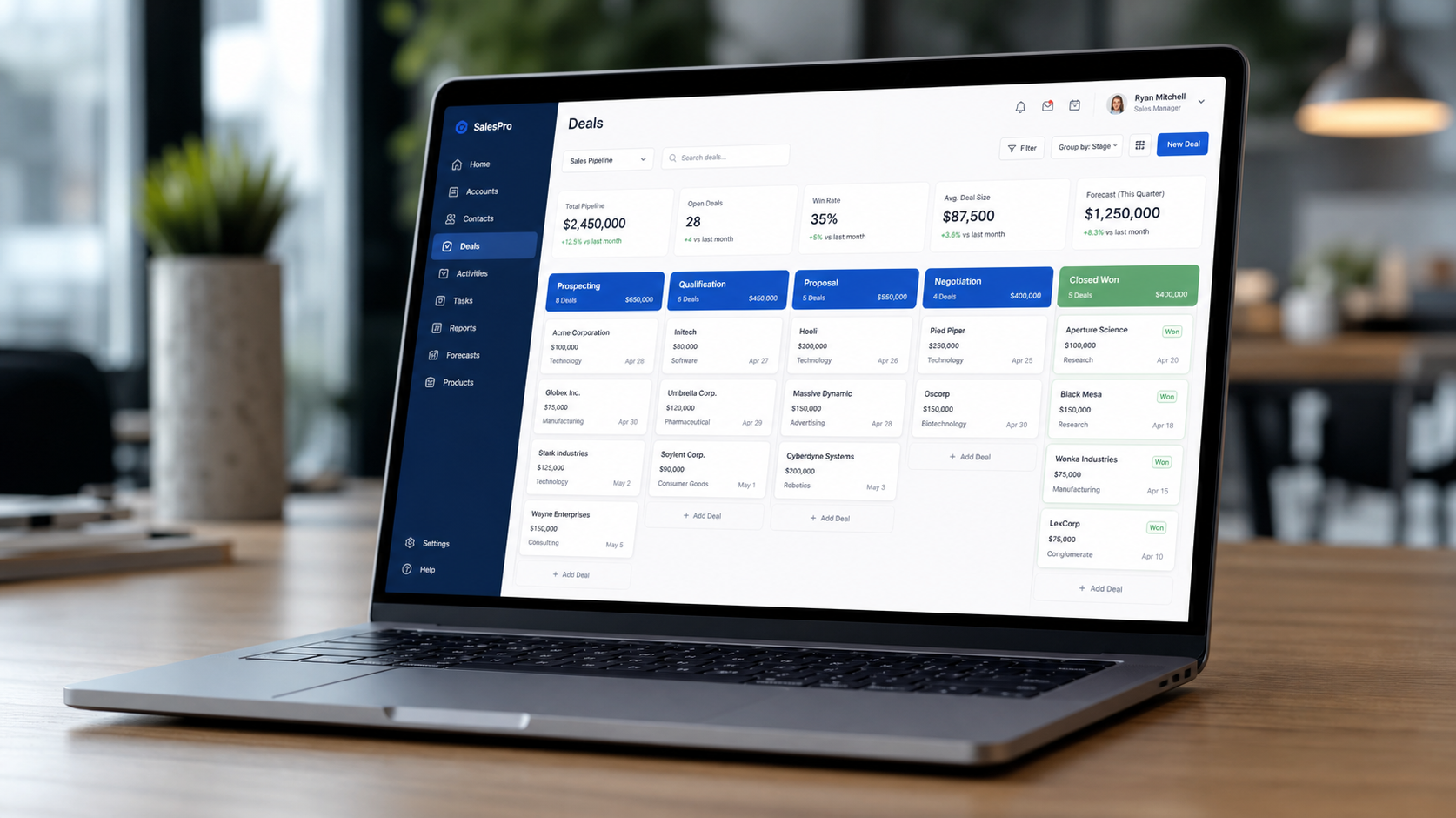
Pipedrive is a sales-focused CRM built around the visual pipeline. Deals are organized into drag-and-drop stages that mirror your real sales process, with activity tracking, contact management, and automation layered on top.
Its core philosophy is action over data entry. The interface pushes you toward logging calls, emails, and follow-ups — the activities that actually move deals forward — rather than drowning you in record-keeping.
How We Tested
- Managed a real sales pipeline with multiple deal stages for a month
- Tracked activities, follow-ups, and contact history day to day
- Used the mobile app for on-the-go updates
- Compared against Attio, HubSpot, and Salesforce
What We Loved
Pros
- Intuitive visual pipeline
- Activity tracking keeps deals moving
- Very easy for sales teams to adopt
- Strong, capable mobile app
- Simple automation and email sync
Cons
- Limited marketing features
- Reporting is basic on low tiers
- Advanced add-ons cost extra
- Less customization than modern rivals
Pricing
- Essential (from $24/seat/month): Core pipeline, deals, activities, contact management
- Advanced (from $34/seat/month): Email sync, automation, group features
- Professional (from $49/seat/month): Advanced reports, AI-powered insights, custom fields
Pipedrive's pricing is per-seat and competitive for focused sales teams. The Essential tier covers the core pipeline well; most teams land on Advanced for email sync and automation.
Who Should Use It
Perfect for: small-to-mid sales teams, agencies, and B2B companies that want a CRM salespeople will actually use — visual, activity-driven, and quick to adopt.
Not ideal for: teams needing a full marketing + sales suite (look at HubSpot), or organizations wanting maximum flexibility and modern data models (Attio).
Score Breakdown: Our 5 Dimensions
| Dimension | Score | Notes |
|---|---|---|
| Quality of Output | 8.4 | Visual pipeline CRM that stays simple |
| Ease of Use | 8.9 | Designed around the deal pipeline, nothing more |
| Value for Money | 8.6 | Fair per-seat pricing; add-ons extra |
| Speed & Reliability | 8.6 | Fast, stable, excellent mobile app |
| Support & Docs | 8.2 | Chat support good; docs solid |
| Overall | 8.6 | Weighted across 4 weeks of daily use |
Performance in Daily Use
Pipedrive is the CRM for teams that tried HubSpot and got lost: one visual pipeline, drag deals through stages, see what needs action today. The AI sales assistant (2026) suggests which deals to prioritize and drafts email content.
Integrations & Ecosystem
Integrations cover 400+ apps including Zapier, Mailchimp, Slack and Google Workspace; the lead generation add-on (LeadBooster) and campaigns tool are paid extras. Deep reporting needs the higher tiers or a BI export.Support & Documentation
Chat support is responsive with real sales-CRM knowledge. Docs are practical; the community and Pipedrive Academy cover onboarding well.Reliability Notes From Long-Term Testing
A month of pipeline work through Pipedrive showed the platform is dependable at its core job: records stayed consistent across devices and users, and the automation engine fired exactly as configured in our sequences. The friction we logged was data hygiene, not software — imports from legacy CRMs needed a cleanup pass, and duplicate detection caught most but not all of the mess.
Who Should Skip It
Skip Pipedrive if your sales process is still being figured out — a sophisticated CRM amplifies a messy process rather than fixing it. Also think twice if you need deep offline access for field work, or if your team lives in spreadsheets and isn't ready to change; the migration tax only pays back once the team actually adopts the pipeline.
Pipedrive vs Alternatives
| Quick Comparison | HubSpot | Pipedrive | Freshsales | |
|---|---|---|---|---|
| Best for | Pipedrive (this review) | All-in-one marketing+sales | Simple visual pipelines | Built-in phone & AI scoring |
| Starting price | See pricing section | Free / from $20 | from $14 | Free / from $9 |
| Standout | See our verdict | Ecosystem & free tier | Ease of use | Value at entry |
Snapshot comparison — details and current pricing in the sections above and on vendor pages.
| Tool | Score | Price | Best For |
|---|---|---|---|
| Pipedrive | 8.6 | $24/seat | Visual pipeline & activity |
| Attio | 9.0 | $35/seat | Modern, flexible data model |
| HubSpot | 9.0 | $20/seat | Sales + marketing suite |
| Salesforce | 7.8 | $25/seat | Enterprise scale & custom apps |
FAQ
Is Pipedrive a good CRM for small businesses?
Yes — Pipedrive is one of the best small-business CRMs because salespeople actually use it. The visual pipeline requires minimal training, and the entry price of $24/seat/month is reasonable for teams of any size.
Is Pipedrive better than HubSpot?
For pure pipeline management and sales adoption, Pipedrive is simpler and often faster. HubSpot is better if you need marketing, content, and a broader free tier. Choose Pipedrive for focused sales, HubSpot for an integrated growth suite.
Does Pipedrive have a mobile app?
Yes — Pipedrive's iOS and Android apps are among the strongest in the CRM space. You can move deals, log calls and emails, and view pipelines offline, which makes it genuinely usable for reps in the field.
Pipedrive vs HubSpot for small sales teams?
Pipedrive for pure sales pipeline focus at a lower all-in cost; HubSpot when marketing, content and support need to share the same platform. Sales-only teams are usually happier in Pipedrive.
How good is the AI sales assistant?
It prioritizes deals needing attention, drafts email replies and flags at-risk pipelines — directionally accurate and genuinely time-saving, though forecasting depth trails Gong-class tools.