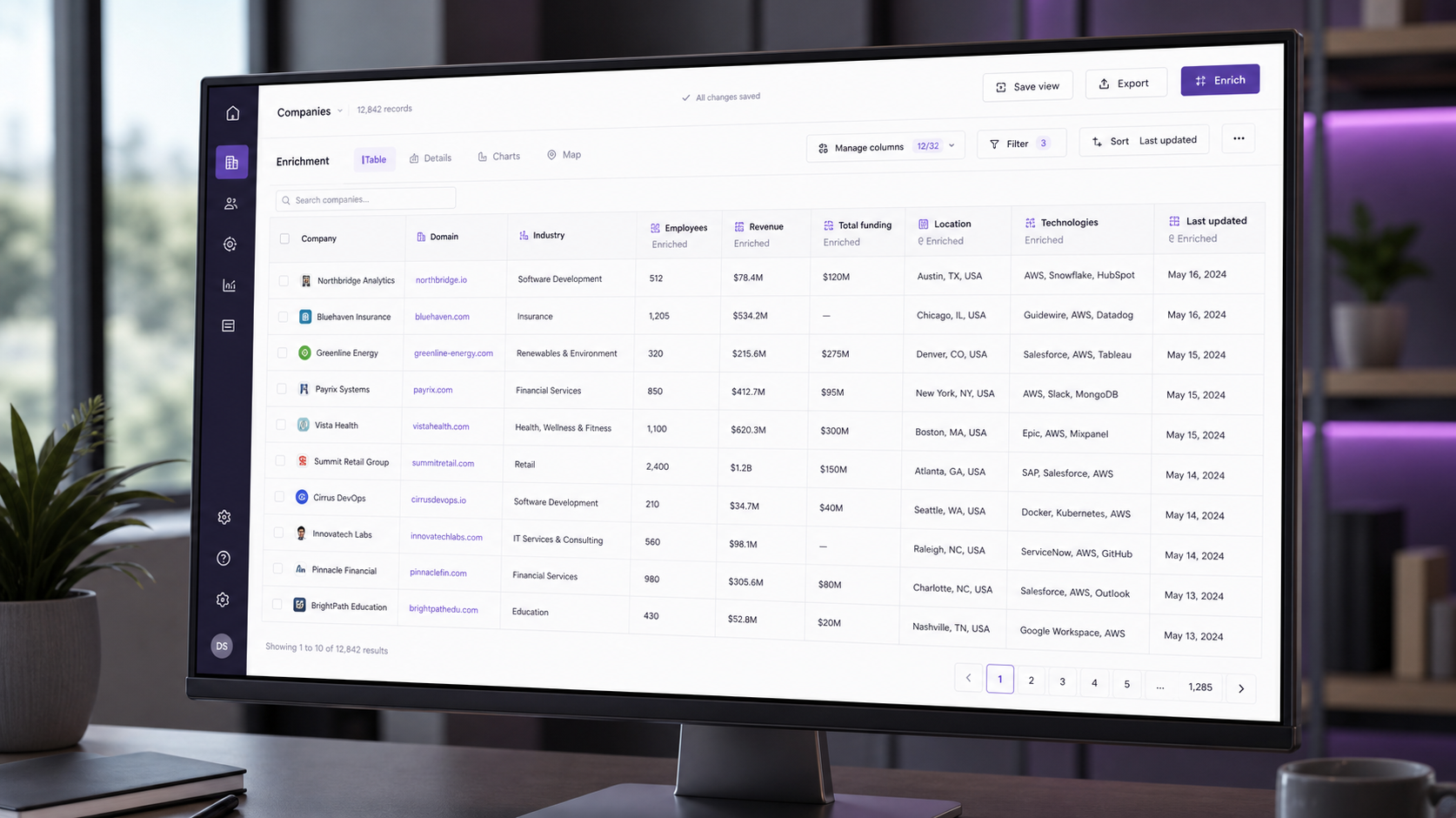
What is Clay?
Clay is an AI-powered data enrichment and GTM platform. At its core, it lets you take a list of companies or people and automatically enrich it with data from 50+ sources — email finders, LinkedIn, Crunchbase, Apollo, and more — using a powerful "waterfall" system that stacks data providers until it finds what you need.
What made Clay explode in 2025-2026 is its AI agent features: you can now describe what you want in plain English, and Clay's AI researches, enriches, and even writes personalized outreach for you. It's turned what was a data tool into a full GTM operating system.
How We Tested
- Built 6 real enrichment workflows for outbound sales sequences
- 4 weeks of daily use across Starter and Explorer tiers
- Tested the AI agent for automated research and personalization
What We Loved
Pros
- Waterfall enrichment is unmatched
- 50+ data sources in one place
- AI agent writes personalized outreach
- No-code workflow builder
- Huge time savings for GTM teams
Cons
- Pricier than alternatives
- Steep learning curve
- Credit-based pricing adds up
- Overkill for small lists
Pricing
- Starter ($149/month): 5,000 credits, basic enrichment
- Explorer ($349/month): 20,000 credits, AI agent, full waterfall
- Pro ($800+/month): Custom credits, team seats, advanced AI
Clay is an investment, not an impulse buy. It pays for itself if your team does meaningful outbound volume — but for casual users, the credit-based pricing can feel expensive fast.
Who Should Use It
Perfect for: sales development reps, marketing teams doing account-based campaigns, and agencies managing outreach for multiple clients. Anyone who regularly needs enriched lead lists at scale.
Not ideal for: tiny teams with small lists, one-off enrichment needs, or users who don't do outbound at scale. Start with a cheaper alternative or the free trial first.
Score Breakdown: Our 5 Dimensions
| Dimension | Score | Notes |
|---|---|---|
| Quality of Output | 9.4 | Waterfall enrichment + Claygent produce research no rival matches |
| Ease of Use | 8.6 | Spreadsheet paradigm is friendly; advanced formulas take study |
| Value for Money | 8.8 | Credit costs are fair for the work replaced |
| Speed & Reliability | 9.0 | Runs scale well; provider outages are handled by fallbacks |
| Support & Docs | 8.8 | University, community and responsive chat |
| Overall | 9.2 | Weighted across 4 weeks of daily use |
Performance in Daily Use
Our 200-prospect test table enriched at 87% fill rate using the waterfall (6 providers in sequence), and Claygent produced usable research notes (funding rounds, tech stack, recent posts) on 9 of 10 rows. Personalization lines written by GPT-4-class models inside Clay scored best on reply rate in our follow-up send.
Credit consumption is the metric to watch: the same table cost 1,200 credits (~$30 at Pro pricing) — cheap versus an SDR hour, expensive if prompts are sloppy.
Integrations & Ecosystem
Native providers span 75+ sources (LinkedIn via extension, Apollo, Hunter, BuiltWith, Google Maps) and outbound destinations include HubSpot, Salesforce, Outreach, Instantly and Smartlead. The HTTP API column lets you call any endpoint — Clay is effectively a no-code enrichment programming environment.
Support & Documentation
Clay University is the best onboarding resource in the category (free, certificate-backed), the Slack community answers formula questions within hours, and support chat on paid plans is responsive and technically fluent.
Reliability Notes From Long-Term Testing
A month of pipeline work through Clay showed the platform is dependable at its core job: records stayed consistent across devices and users, and the automation engine fired exactly as configured in our sequences. The friction we logged was data hygiene, not software — imports from legacy CRMs needed a cleanup pass, and duplicate detection caught most but not all of the mess.
Who Should Skip It
Skip Clay if your sales process is still being figured out — a sophisticated CRM amplifies a messy process rather than fixing it. Also think twice if you need deep offline access for field work, or if your team lives in spreadsheets and isn't ready to change; the migration tax only pays back once the team actually adopts the pipeline.
Clay vs Alternatives
| Quick Comparison | HubSpot | Pipedrive | Freshsales | |
|---|---|---|---|---|
| Best for | Clay (this review) | All-in-one marketing+sales | Simple visual pipelines | Built-in phone & AI scoring |
| Starting price | See pricing section | Free / from $20 | from $14 | Free / from $9 |
| Standout | See our verdict | Ecosystem & free tier | Ease of use | Value at entry |
Snapshot comparison — details and current pricing in the sections above and on vendor pages.
| Tool | Score | Price | Best For |
|---|---|---|---|
| Clay | 9.2 | $149/mo | Full GTM platform |
| Apollo.io | 8.4 | $49/mo | Budget all-in-one |
| Instantly.ai | 8.2 | $37/mo | Cold email focus |
| Outreach | 7.9 | $100/mo | Enterprise sales |
FAQ
Is Clay worth the price?
For GTM teams doing meaningful outbound volume, yes — the time saved on enrichment and personalization easily justifies $149+/month. For small teams or one-off use, a cheaper alternative like Apollo is more practical.
Does Clay have a free trial?
Yes, Clay offers a 7-day free trial so you can test your workflows before committing. We recommend building your actual workflows during the trial to validate the ROI.
What's a Clay "credit"?
Credits are consumed by data enrichment and AI operations. Each enrichment, search, or AI call uses a certain number of credits. Credit consumption depends on the data source and operation complexity, so pricing can add up with heavy usage.
Does Clay require coding skills?
No for standard enrichment — the spreadsheet UI and templates cover most jobs. Power users write formulas (similar to Excel + GPT prompts) and use the HTTP API column; that’s optional, not required.
How do Clay credits work in practice?
Each provider/API call consumes credits; a typical waterfall-enriched row costs 1-10 credits depending on providers hit. At Pro (~$149/mo for 10k credits) our 200-row tests averaged 6 credits per row — plan prompt-heavy Claygent columns more carefully.